focusbrick
Android · hardwareAndroid app with an NFC brick for blocking apps. Profiles for work and evenings, and all data stays on the device.
Whether I put the phone down is something I decide again every few minutes. The focus setting in the operating system does little against that: it sits in the very device I’m trying not to use, and two swipes turn it off again. And a switch I’m holding in my hand is one I’ll flip.
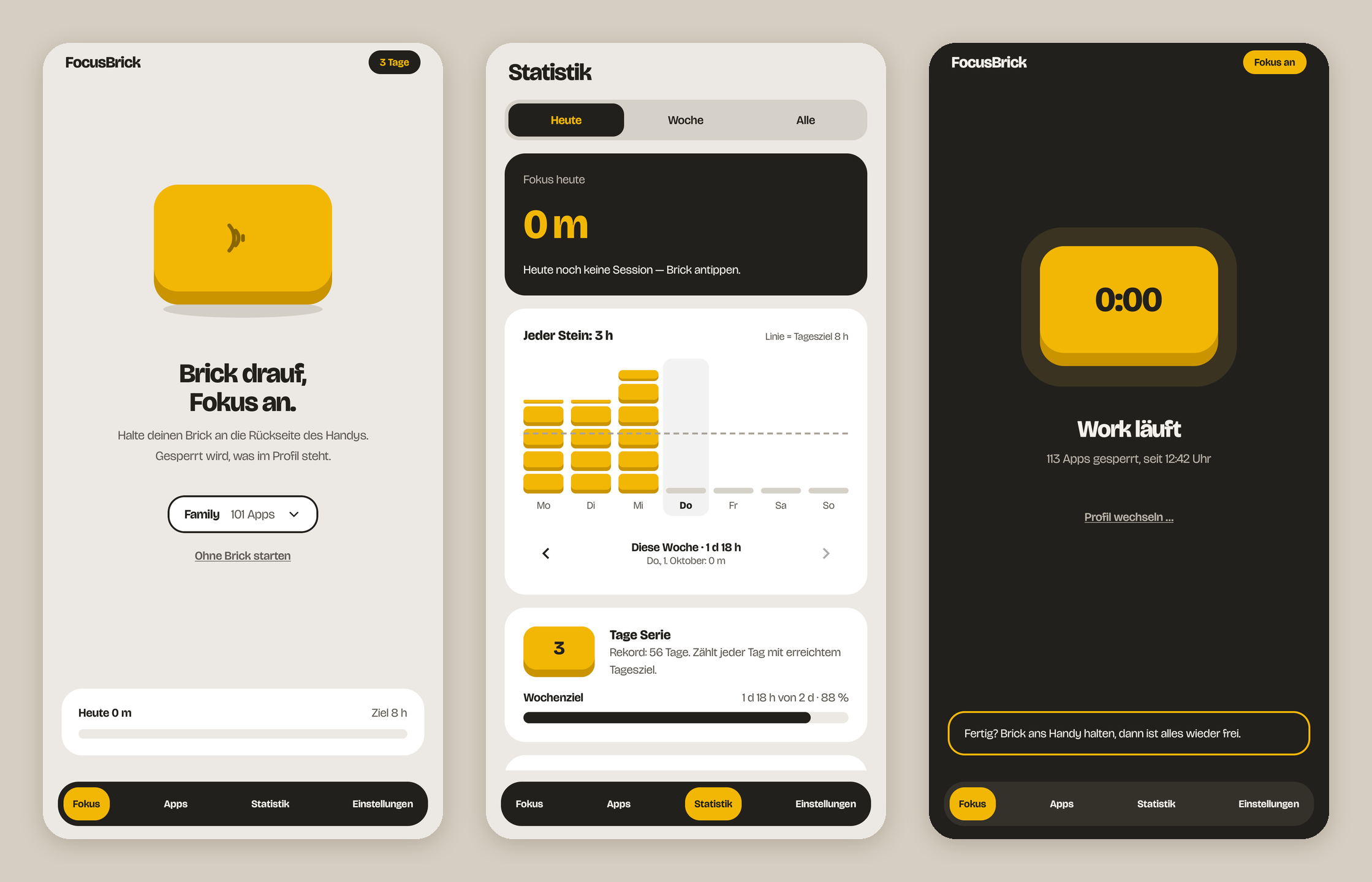
focusbrick moves the switch onto the desk. An NFC sticker sits inside a 3D-printed case; tapping it starts the focus session, tapping again ends it. The app does not have to be open for that. While focus is running, a block message comes to the front as soon as one of the selected applications is opened. Which ones those are is held in profiles: a different one for work than for the evening. On top of that, usage statistics with a daily and a weekly goal.
The real component is not code. The case is a parametric model to print yourself, and the sticker is read through two to three millimetres of plastic. Having to get up and touch the brick is on purpose, and the app offers no shortcuts either. It only goes online to ask whether there is a new version. It holds no data off the device and does not resist being uninstalled.
Decisions
Built rather than bought
Comparable products exist, but either only for iOS or at a price that does not fit a brick on a desk. And there is what such a service gets to see: which apps are in front, and when, over weeks. That data stays with me, on the device, with no account at a provider. So a build of my own: the app in Kotlin, the case from the printer.
No emergency exit in the app
An emergency exit was planned for the case where the brick is at home: ten minutes of waiting, once every few weeks. Dropped: the awkwardness of the physical object is the product, and any way out built into the app turns that awkwardness into something to negotiate with. The real emergency is covered by a time limit instead: a forgotten session ends by itself at three in the morning at the latest.
The blocker reads no content
Blocking single websites would only work if the service read along in the browser’s address bar. The app does without that and leaves the permission to read window content explicitly switched off. It only sees which application is in front. Installed web apps can still be blocked, because the operating system lists them as applications of their own; for ordinary browser tabs the only option left is putting the browser itself on the list.
Screen time from the system instead of a record of its own
The statistics take the usage times Android keeps anyway instead of writing their own. The price is history: the event stream only goes back a little over a week, and further back the data simply does not exist. Writing it down would mean a table of my own plus a migration, for a history that starts at zero and gets a hole in it every time the app goes a week without being opened.
The block screen got emptier again
The block screen used to carry the streak, the record and what was left of the daily goal, meant as motivation, built and tried out. In use it was a small dashboard at exactly the point where you are supposed to put the phone down. What stayed is the block message and how long the current session has been running.